Sunday, November 24, 2013

Iprocess engine architecture: Background Processes


  • Background processes are responsible for processing message instructions received from the clients such as releasing a step or forwarding a step.
  •  And also monitor and process any deadlines that have been set up in the procedure and manage case prediction.

  • processes operate in the background:-
    1. Background  (BG)
    2. Case Prediction  (BGPREDICT)
    3. Database Queue Daemon  (DBQD)
    4. Deadline Manager  (DLMGR)
    5. IAPJMS  (IAPJMS)
    6. RPC Background  (RPCBG)
    For detailed information on foreground processes CLICK HERE

    Read more...

    Sunday, October 13, 2013

    LibraryBuilder: How to build and Import a Library file (.projlib) in TIBCO BW

    Note: For Project Library (.projlib) uses and advantages Click Here.

    How to build a Library file:

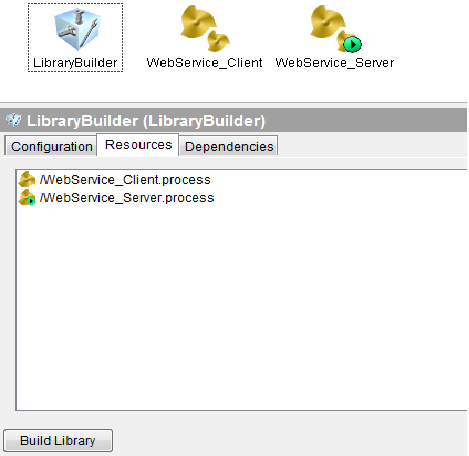
    1. Drag and drop LibraryBuilder resource from palettes pane into design pane.
    2. Select Resources tab and add resources by clicking binocular symbol located on the right side.
    3. After selected all the files to include in library and then click on Build Library button located at below as shown in below screenshot 2.

    How to Import a Library file:

    1. Open BW project
    2. click on the root folder (this reflects your bw projet name)
    3.In the config pane you will see the following tabs configuration, project settings, Design Time libraries.
    4. click on design time libraries.
    5. click on + sign and apply.
                                          
                                                            1.Import a .Projlib


    2. Building .projlib


    Read more...

    Popular Posts

      © Blogger templates The Professional Template by Ourblogtemplates.com 2008

    Back to TOP